


Removing Excess Annotations from Chemistry Reaction Files (CDXML)

Mar 09, 2026
 95
95
When chemistry reaction files (CDXML format) contain an excessive number of annotations, they may slow down the reaction upload process and cause display issues of reaction schemes in experiments. You can remove these annotations using either ChemDraw or Notepad.
- Delete annotations using ChemDraw
- Open the reaction file in ChemDraw. Go to File → Document Annotations.
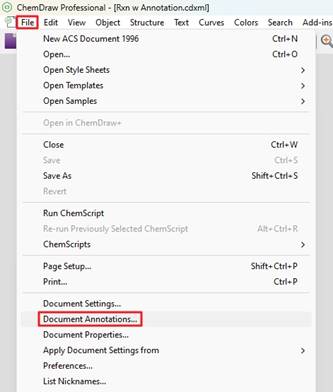
-
- For ChemDraw version 23 or newer, click the "Delete All" button to remove all annotations at once.
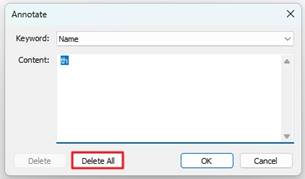
-
- For ChemDraw version 22 or older, in the keyword field, select each undesired annotations individually and click the “Delete” button to remove it.
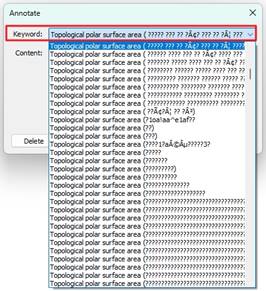
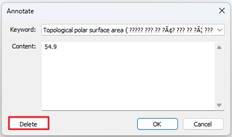
-
- After all annotations have been removed, save the file.
- Delete annotations using Notepad
- Open the CDXML file with notepad.
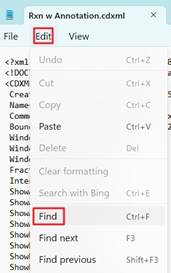
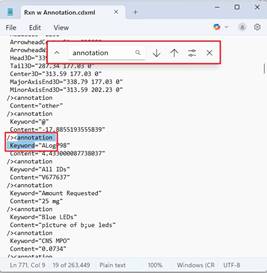
- Go to “Edit” -> “Find”. Search for the “annotation”. Select all “annotation keywords” entries and delete them.
-
- Once all annotation entries are removed, save the file.

