Change the Ownership of a Project

Sep 11, 2026
64

Note: This feature can only be used by a user with the Admin role in the Arxspan System.
This process allows transferring ownership of a project to a different user.
To transfer project ownership:
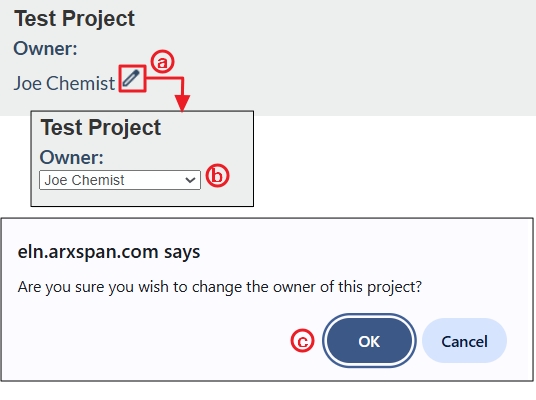
- Locate the target project in the project list and click its name to open it.
- On the project’s Table of Contents page:
- Click the pencil icon next to the project owner’s name.
- A drop-down list will appear showing users who can manage projects; select the desired user.
- Click “OK” when prompted.