


The stoichiometry table is designed to perform calculations using minimal user-entered information. The initial table generated from an uploaded or drawn structures will include the calculated molecular weight, name, and default all equivalents to 1. It will also designate a limiting reagent as the molecule farthest to the left.

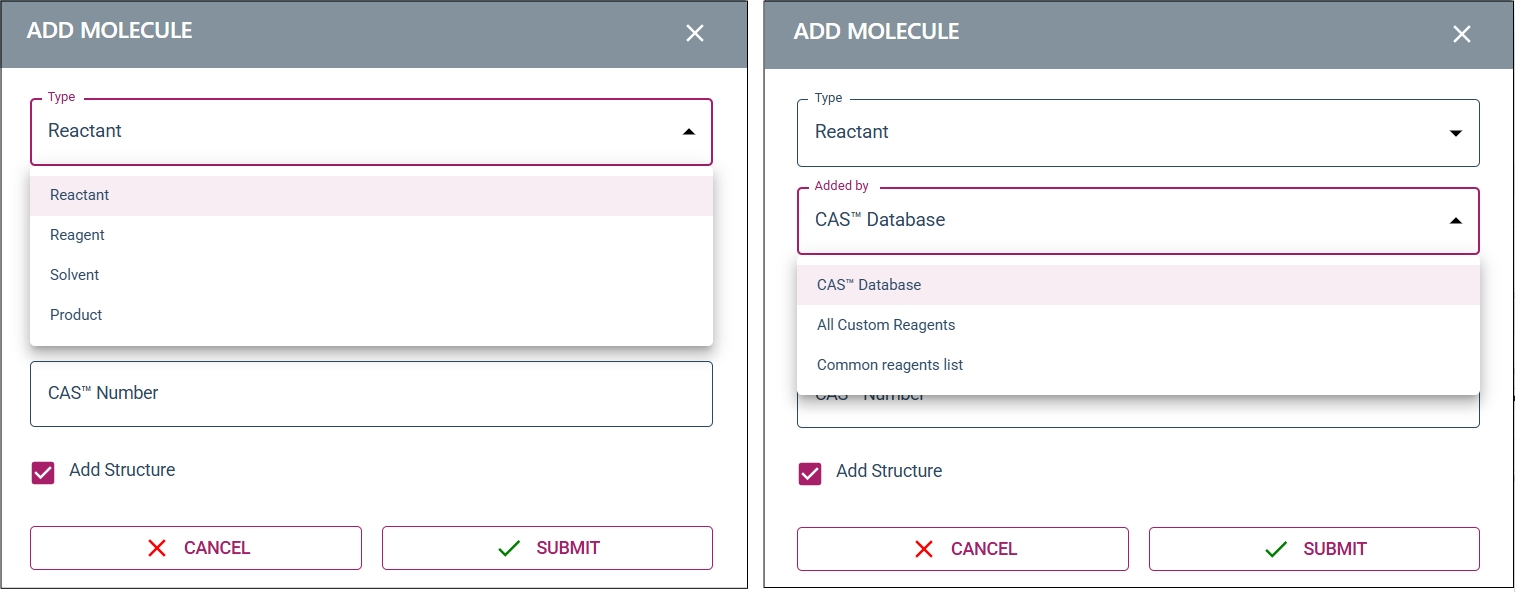
The “+ ADD MOLECULE” button is used to add new tabs to the stoichiometry table using one of three methods. Each of these methods have the option to designate the newly added molecule as a reactant, reagent, solvent, or product. The first way this can be done by using CAS number lookup which queries the WuXi reagent database, this method also has a structure insertion option. The second method is an internal reagent database uploaded by an admin (see company policy for more details). The third option is manual addition with complete free-form text fields to add molecular weight and chemical formula.

When adding mass or moles to any entry, the fields in the rest of the table will auto calculate based on that value, including the theoretical mass and moles of your product.

The number of significant figures can also be adjusted.

The product tab will calculate the percent yield after the measured mass is supplied, and will adjust the percent yield if purity is supplied.


When any new user entered values are added, the calculations are automatically updated to reflect the new information. If the user enters a value that is in direct mathematical conflict with the stoichiometry table the stoichiometry table will change the OLDEST user entered value to resolve the conflict in the limiting reagent. If the conflict is in a non-limiting reagent entry the equivalents and moles will be adjusted to correct the discrepancy.



An important note: any solvent tabs will not be adjusted as it is assumed that it is not relevant to the reaction stoichiometry.

