Deleting Attachment Files or Folders
Last updated: Nov 13, 2026
4
views

Attachment files added to the experiment can be deleted individually or in bulk.
Individual Deletion
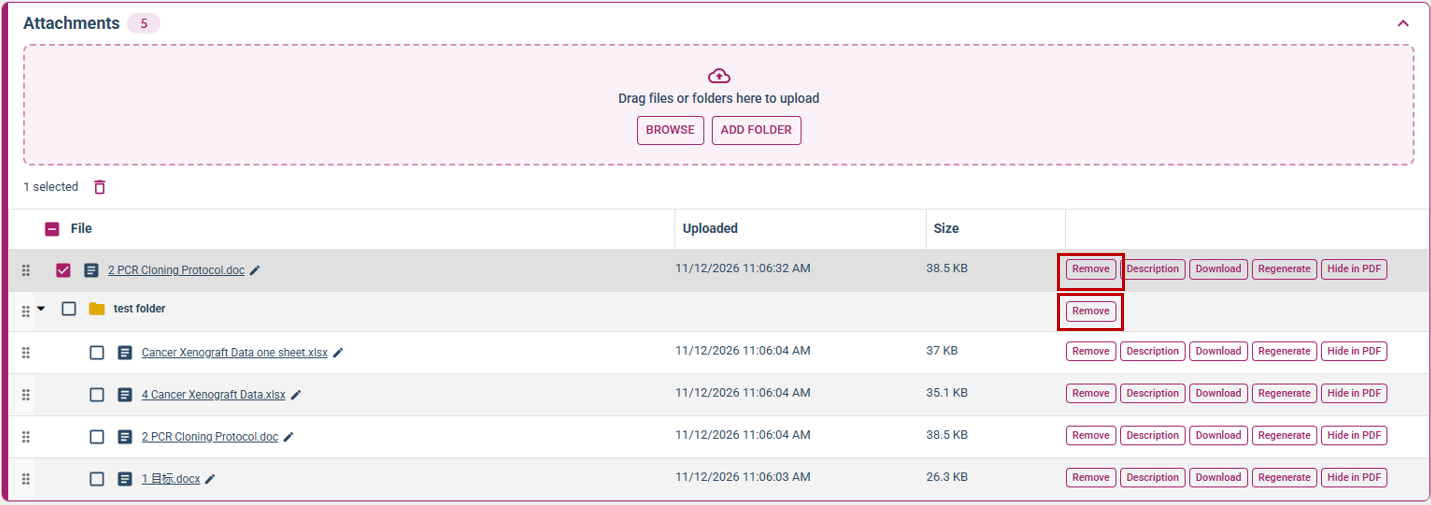
Attachment files and folders can be deleted individually by pressing the “Remove” button next to the file/folder. Files and the folders can be removed after uploading, regardless of whether the experiment has been saved.
Bulk Deletion
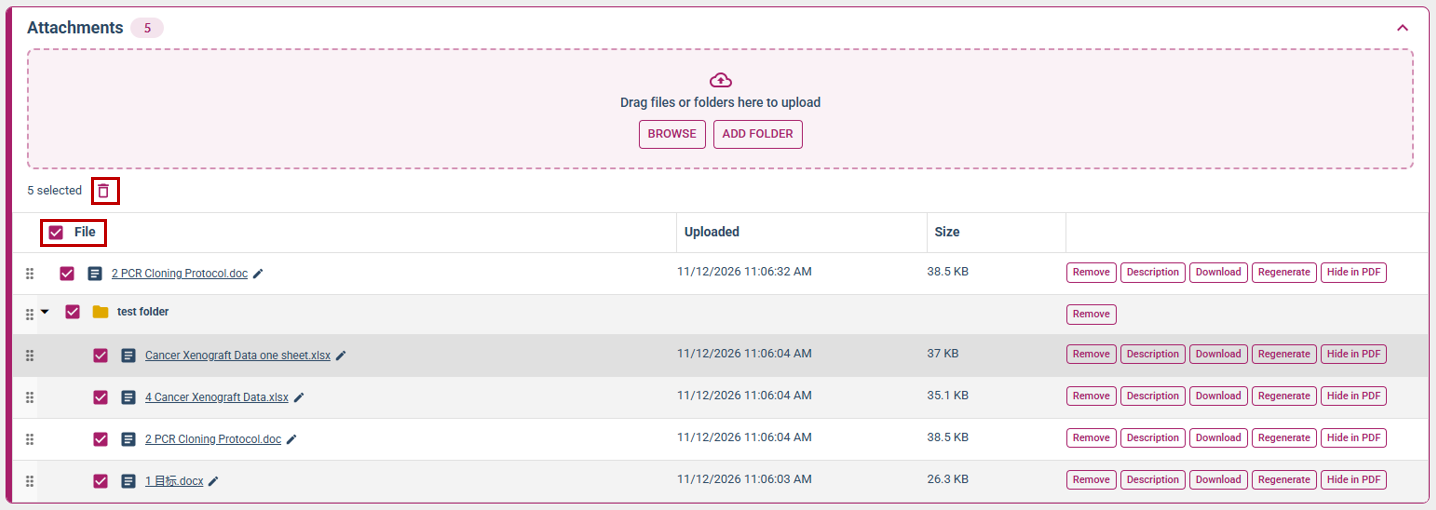
In the “Attachment” section, check the boxes next to the file(s) or folder(s) you want to delete. Selecting the checkbox next to a folder will select all files within that folder. Once you've selected the files you want to delete, click the trash icon to delete them. You can also check the box next to "File" to select all files uploaded to the attachment section.